

Projects
Time and expenses are billed to projects. A project belongs to a single customer.
Manage Projects
Go to the Projects page to see all active projects, organized by customer.
Create a Project
Click the Add Project button to create a new project.
| Field | Description | Required |
|---|---|---|
| Customer | Customer to which project will belong | Yes |
| Project Name | Name of project | Yes |
| Project Description | Description of project | No |
| Rate Type | Either Fixed Cost or Hourly | Yes |
| Rate | Required for hourly rate projects | No |
| Fixed Cost | Required for fixed rate projects. This is the cost that will be billed to the customer when the project is invoiced | No |
| Estimated Budget | Estimated cost of project | No |
| Estimated Hours | Estimated time of project in hours | No |
| Project Number | Internal project number | No |
| Customer PO | PO if customer requires it | No |
You will be prompted to provide a rate only if you are a single-person company. If your company has multiple people, you will need to add resources to the project after you create it.
Manage Resources for a Project
Add a Resource
In order for users to bill time and expenses to a project, they must be assigned as a project resource.
If you have more than one user in your company, you will need to add resources to a project after creating it, including yourself.
- Click the Manage Resources icon
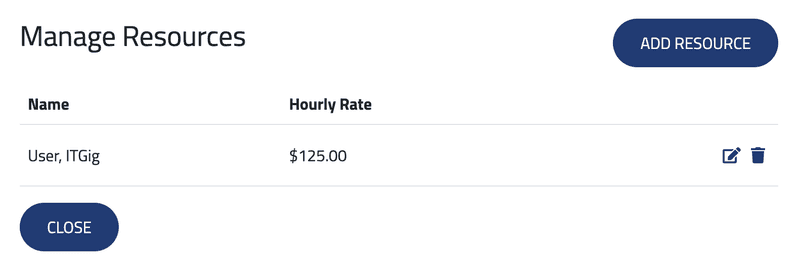
- You will see a list of resources currently assigned to the project. If it's a new project and your company has multiple users, this list will be empty.
-
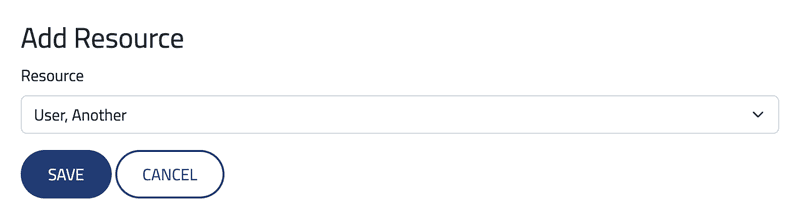
Click Add Resource to add a resource to the project.
-
Users who are not assigned to the project can be added.
-
If the project has an hourly rate, provide the user's rate.
Remove a Resource
On the Mange Resources page, click the Delete Resource icon next to a resource name.
Removing a resource from a project does not delete their time or expenses. The user will just not be able to enter hours or expenses for the project.
Edit a Project
Click the Edit Project icon to edit a project.
Create Invoice for Project
If you want to create an invoice from a single project, click the Create Invoice shortcut button. This will take you to the Create Invoice page and populate the customer and project automatically.
Archive Project
Click the Archive Project button to deactivate a project.
You will get an error if you try to archive a project with unbilled hours.