

Expenses
You can add an expense to any of your projects. These might be things like hosting plans, software licenses, or meals.
Create an Expense
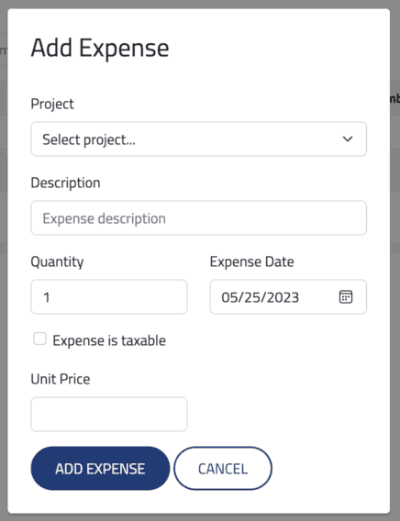
To create a new expense, click the Create Expense button.
Fields
| Field | Description | Required |
|---|---|---|
| Project | Project for the expense | Yes |
| Description | Description of the expense that appears on the invoice | Yes |
| Quantity | Number of units in expense | Yes |
| Expense Date | Date of the expense | Yes |
| Expense is Taxable | If checked, applies sales tax according to customer's location | No |
| Unit Price | Amount per unit of expense | Yes |
Edit an Expense
To edit an expense, click the Edit Expense icon.

Delete an Expense
To delete an expense, click the Delete Expense icon.

You cannot edit or delete expenses that have already been invoiced.